
3D content is in high demand throughout digital industries. Conventional 3D modeling pipelines can be time-consuming for creatives. Many technical challenges in production workflows are now addressed with AI-driven systems. With Tripo 3D, creators can transform concepts into usable assets within a short time. This transformation supports faster prototyping, easier iteration, and a simpler 3D creation process for various users.
Transforming Concepts into 3D Assets Faster Than Ever
The way 3D creation is done has changed from handmade polygon modeling to automated creation systems. Earlier pipelines included sculpting, UV mapping, and lengthy rendering processes. Now, AI tools can take inputs and produce structured models within seconds. This change reduces the reliance on advanced software skills and technical expertise. The AI 3d model generator, Tripo 3D, simplifies asset creation by converting ideas into structured geometry. Concept validation can be performed with both text and image inputs in a short time. Creative teams can explore multiple directions without waiting through lengthy modeling cycles. This helps accelerate decision-making and improve production efficiency.
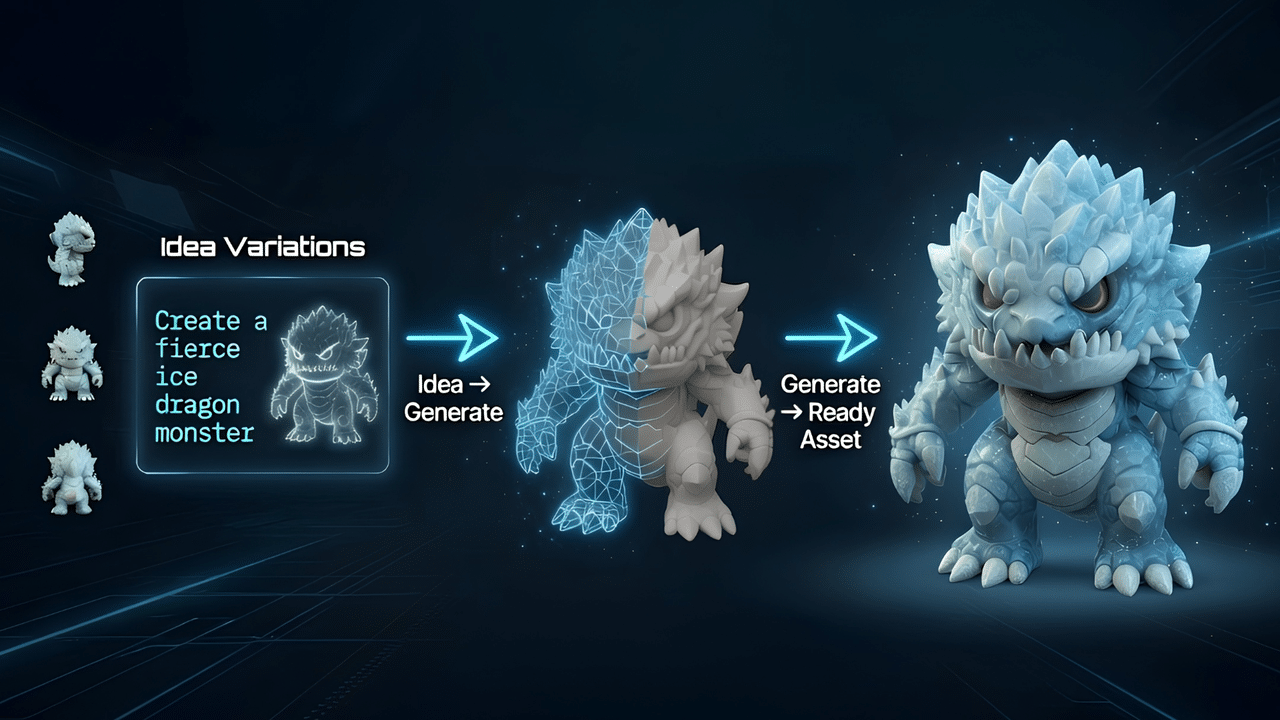
Starting Asset Creation from Text Prompts and Images
Modern systems support multiple inputs for flexible creative workflows. Simple descriptions can be used to define objects, shapes, and structural details, which are then instantly generated. Sketches and concept images also provide useful information for reconstruction. This flexibility allows creators to move between different ideation approaches efficiently. Tripo 3D supports the processing of both visual and textual inputs. The image to 3d function converts a drawing or reference into a 3D object while preserving proportions and depth. This simplifies workflows for designers, artists, and developers using different pipelines. It also supports faster testing of alternative visual directions.
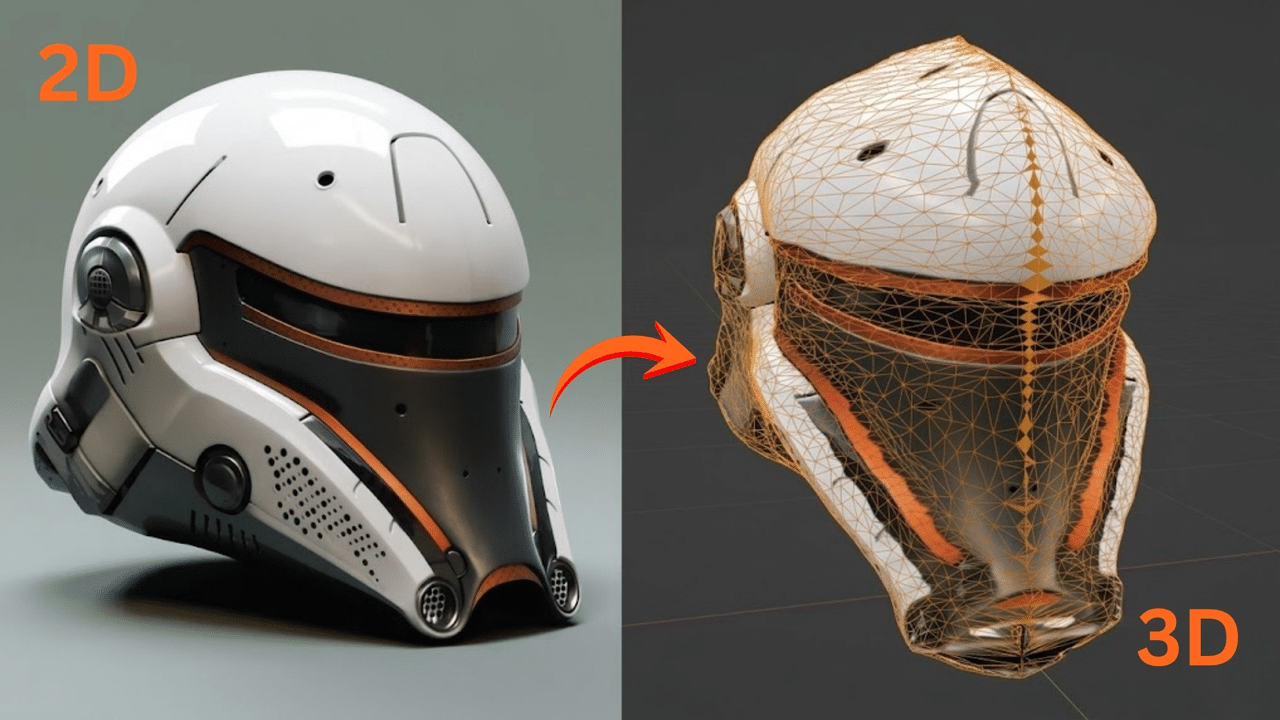
Steps to Convert Ideas to ready 3D assets in seconds, instantly using an AI 3D model generator
Step 1: Turn concepts into 3D models quickly
-
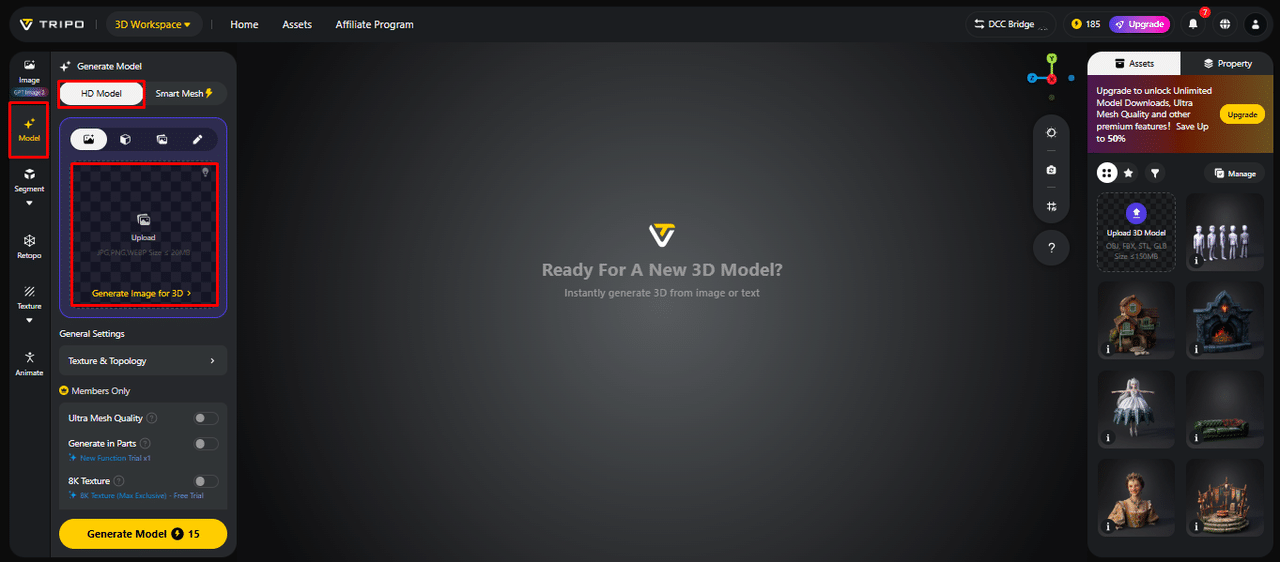
First, you need to access Tripo 3D and signup. Next, go to the “Model” tab present in the vertical left menu bar.
-
Under the menu, click on the “HD Model”. You can generate the model either using the text prompt or through image upload.
-
You can drag and drop to upload the image, or you can also upload the image from a specific location of your device using the “Upload” tab.
-
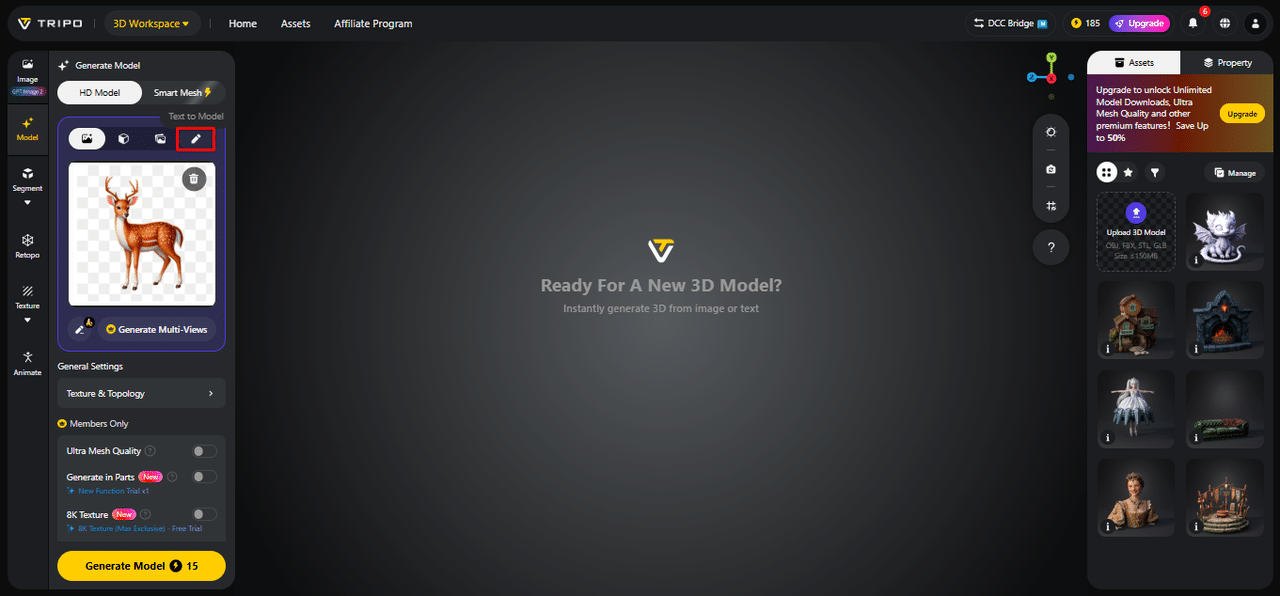
If you don’t have an image, click on the “Text to model” tab to generate the model using a descriptive text prompt.
Step 2: Apply settings and generate assets instantly
-
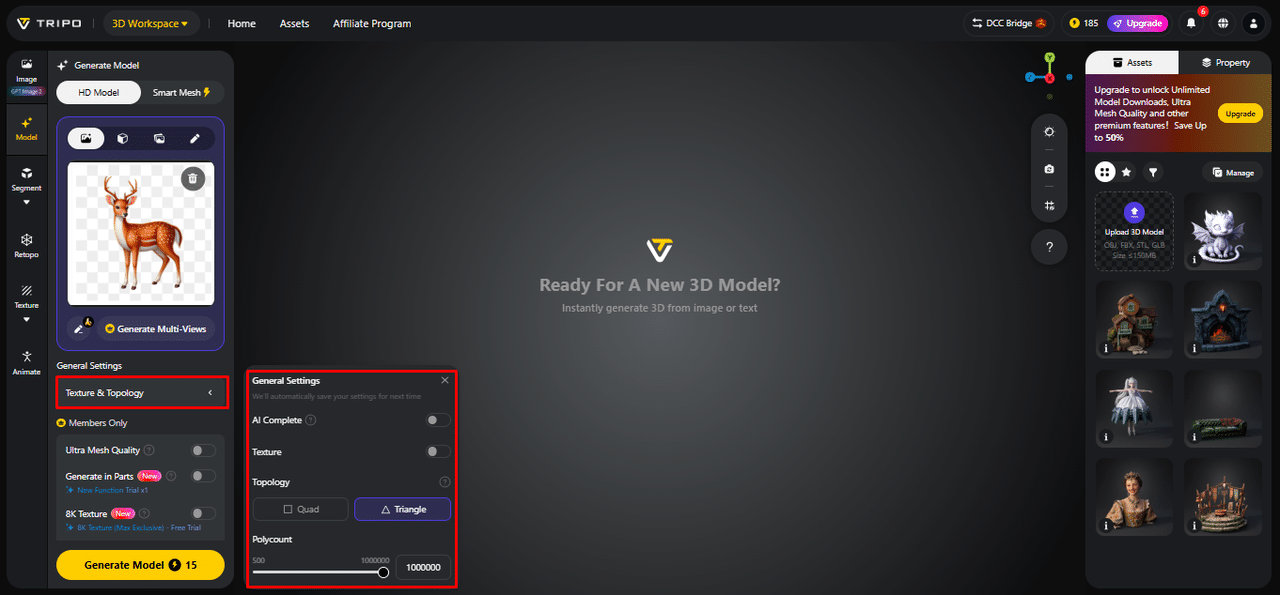
Under the “General settings” tab, you can either allow the AI to completely generate on its own by switching “AI complete”. Or you can turn on texture and select the custom “Texture Quality” like 2K, 4K, or 8K.
-
You can also turn on “PBR” for accurate material reflective properties.
-
For better topology characteristics, select either “Quad” or “Triangle” topology.
-
You can also set the custom polycount.
-
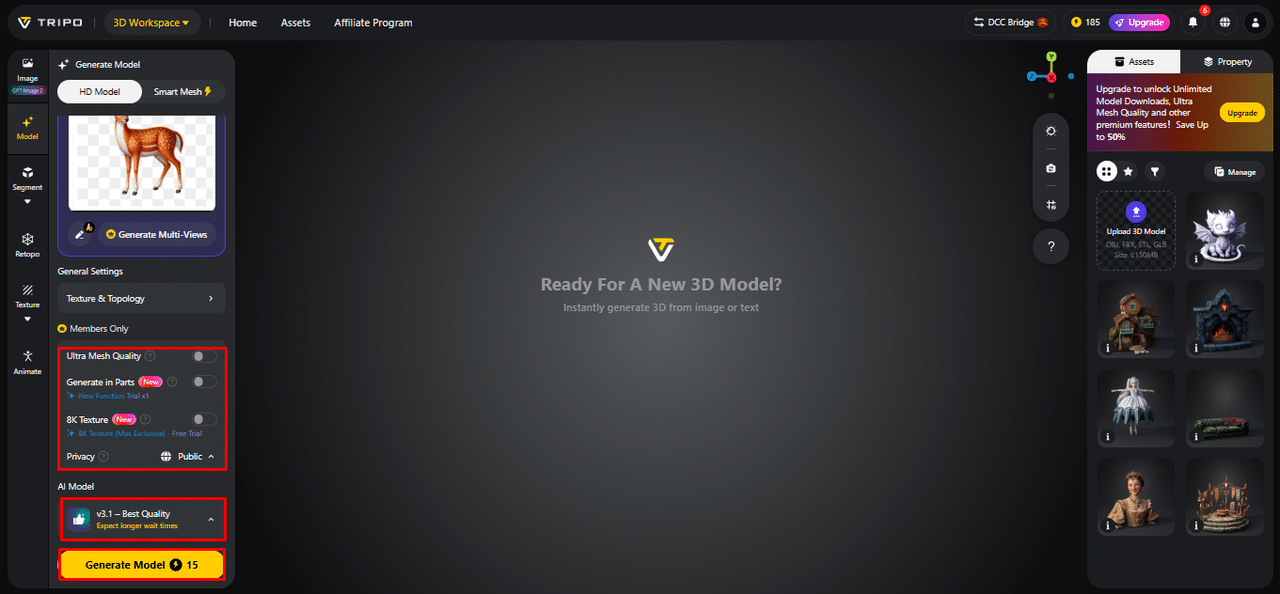
Later choose the model from the list, including v3.1 best quality, v3.0 fast and balanced, or v2.5 legacy.
-
If you are a member, then you can choose “Generate in Parts”, “8K Texture”, and “Privacy” options.
-
Finally, click on the “Generate Model” to begin generation.
Step 3: Finalize assets and save them locally
-
Tripo 3D allows you to completely view your model in the style you want. Key styles include “Solid View”, “Cartoon Style”, “Sketch Style”, “Hologram Style”, and “Unlit” form. You can also “Refine” your design right through the bottom menu.
-
You can also edit the “Environment Settings” and camera settings through “Reset Camera”.
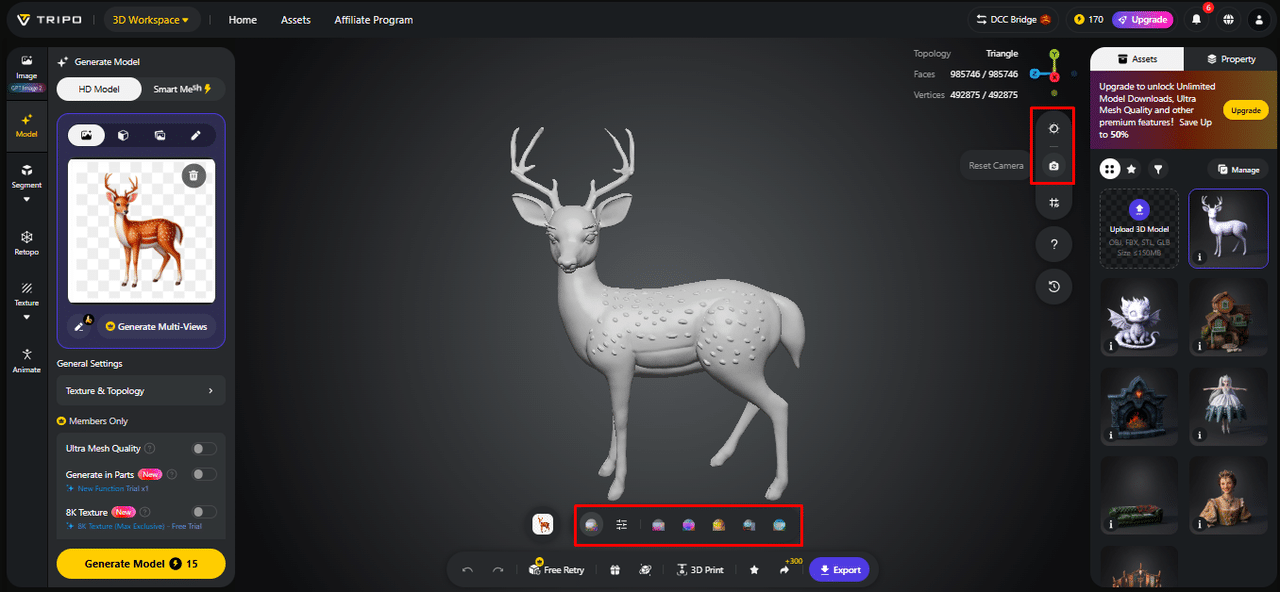
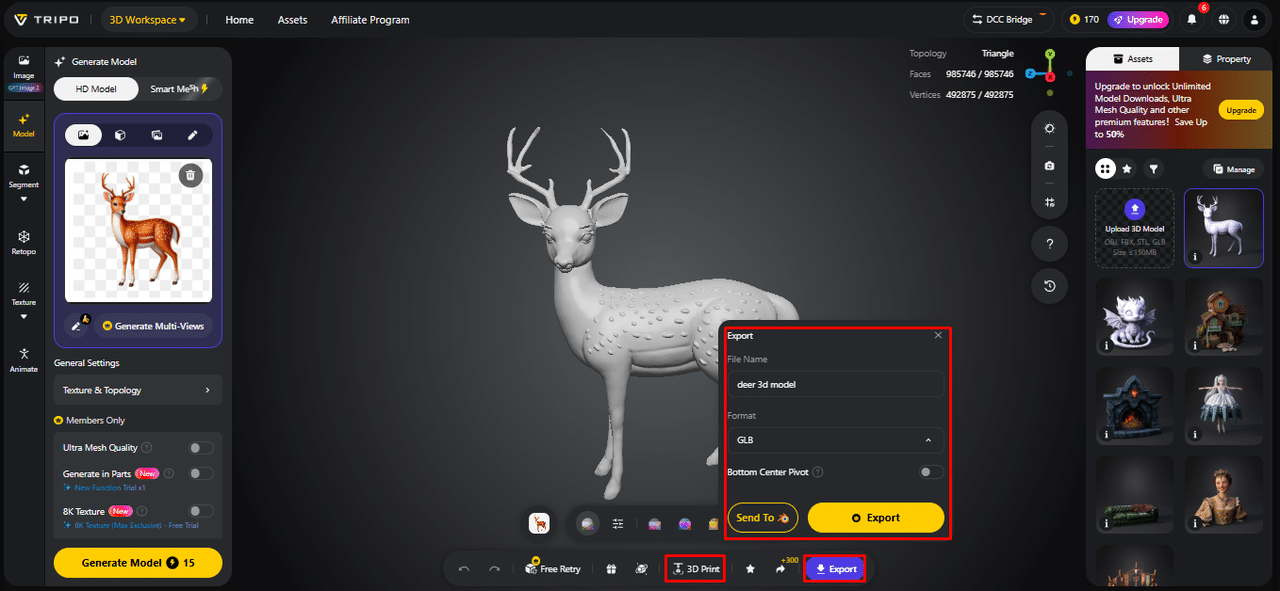
- If you want, you can 3D print the design you want, or you can also share directly by clicking “3D Print”.
-
In the end, click on the “Export” tab from the bottom menu. Next, choose the resolution, format, and file name, and click again on “Export” to save the design to your local device.
Core Technologies Behind Instant Asset Generation
AI systems use advanced geometry prediction and shape reconstruction techniques. Neural networks analyze input data to generate structured meshes efficiently. Automated topology organization creates model structures that are easier to edit. Texture synthesis engines can generate detailed textures with a realistic appearance. Integrated systems help reduce downtime and improve output consistency. Tripo 3D combines these technologies to support efficient and consistent generation. This combination enables the rapid conversion of conceptual ideas into structured 3D resources suitable for practical workflows.
Building Prototype-Ready Models Within Seconds
Modern generation pipelines are designed to produce structured outputs for professional workflows. Mesh construction follows geometric principles to create cleaner edges and surfaces. Models can be exported to engines and design software for further use. Texture mapping and surface detailing are performed automatically during generation. Tripo 3D allows users to create text to 3d model from simple descriptions. This reduces the amount of post-generation manual cleanup or optimization required. Faster output cycles support continuous iteration throughout creative projects. Production teams experience reduced workloads, and assets can be used more quickly.
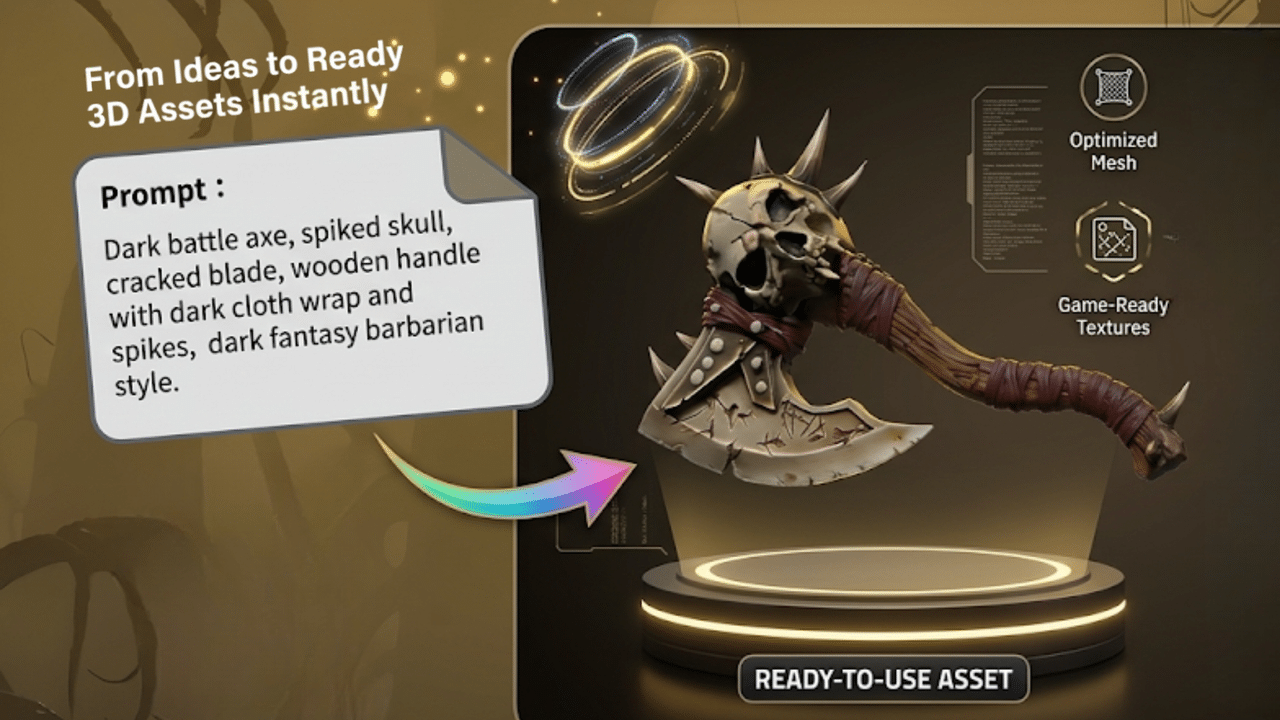
Major Advantages of Instant AI Asset Creation
Instant generation systems deliver multiple benefits across creative workflows and industries. These advantages improve speed, accessibility, and production efficiency significantly.
-
Quickly transform ideas into 3D assets in seconds.
-
Manual modeling processes are reduced, as is the number of dependencies.
-
Creative testing involves no delays in seeking out several lines of design.
-
Accessibility enables newbies to create quality content easily.
-
With fast iteration, it is possible to develop new ideas iteratively.
-
Cross-industry usage in game, design, and visualization workflows.
Applying Instant Asset Generation Across Industries
AI-assisted 3D creation is increasingly being adopted across different industries. Game development teams can sketch and create optimized assets in a shorter time. Product designers create prototypes with realistic structures and textures. AR and VR developers create lightweight models for immersive experiences. Architects convert plans into spatial visualizations for presentation purposes. Film and animation studios use rapid modeling to create scenes and characters. Across industries, production time is reduced while creative flexibility increases. This widespread adoption highlights the growing importance of automated 3D generation systems.
Scaling Creative Production with Tripo 3D
Consistent asset output and quick iteration cycles are important for large-scale production. Tripo 3D helps automate repetitive modeling tasks to support high-volume workflows. Teams can generate multiple assets simultaneously while maintaining consistent quality. Asset libraries continue to expand as projects grow and additional content is created. Technical barriers are reduced, supporting ongoing innovation. Allowing designers to focus more on design than manual construction can improve collaboration. This system improves production turnaround time and supports evolving creative requirements.
Conclusion
AI systems have changed the way 3D assets are created and used. More efficient creative workflows can contribute to faster generation speeds. Tripo 3D can generate structured 3D models in formats suitable for production workflows from simple inputs within seconds. This helps reduce complexity while improving output quality and accessibility. As workflows continue to evolve, instant generation plays an important role in modern digital creation.